
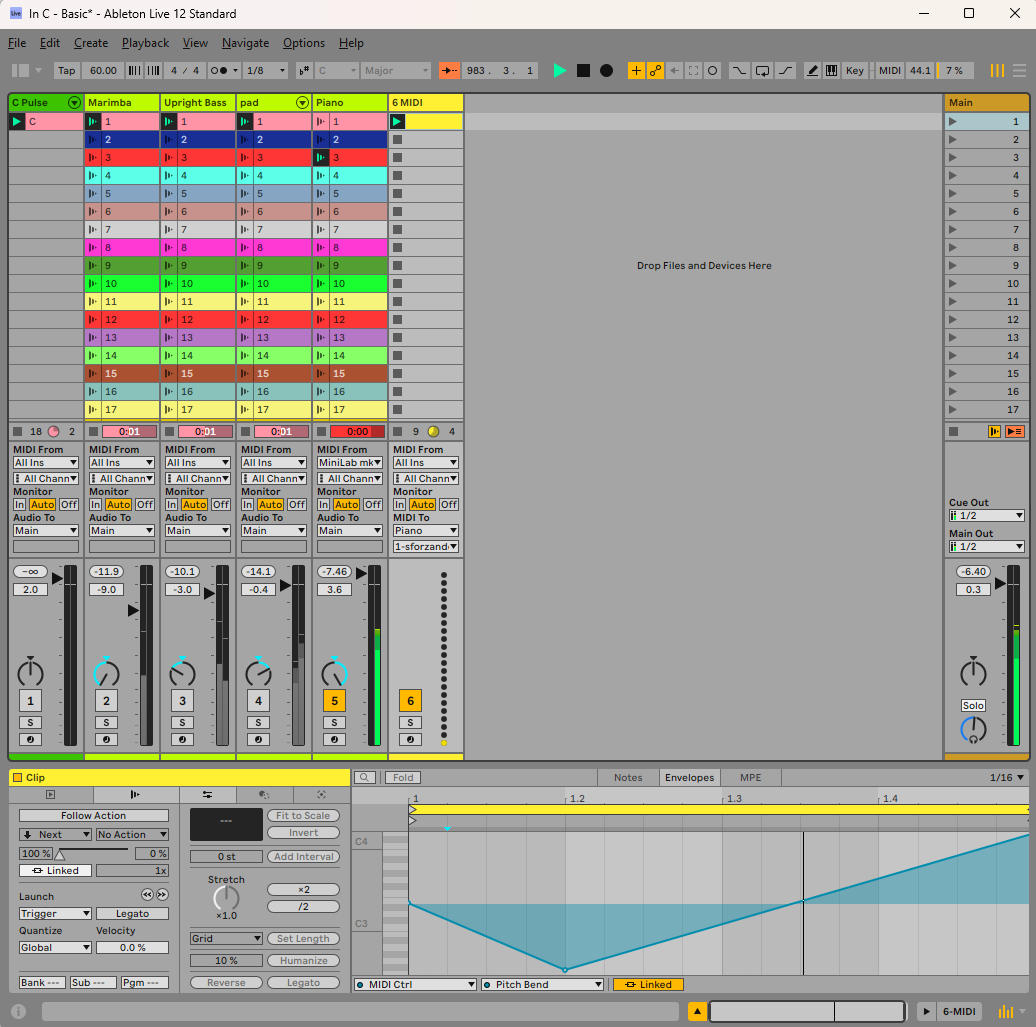
My favourite part of the performance music sequencer Ableton is the follow actions. This is the facility to add a certain amount of randomness to a piece by playing with the % chance of one clip moving to another. Not much use for producing a club banger, but very useful for more experimental stuff. You could have three clips, where clip one plays once and then goes to clip two. Clip two plays a random number of times, and then goes to clip three. Clip three plays a random number of times and then randomly goes back to either one or two.
As well as doing it with clips full of notes, you can do it with envelope data as well. This is where I came slightly astray. If you set p a channel as in track 6 of this image, the envelope data will be sent to the assigned track, in this case “Piano”. The only trouble is, when you come to drawing your envelopes, you have to do it against the generic channel number rather than the controller name. So if you want to draw an envelope directly in a clip in the Piano track, you would see a list of all the available parameters at the bottom of the screen. If you do it in the “Midi” track, though, you just get a list of all the generic controller names. Unless you have a conversion chart from your VSTs creator, then it is trial and error trying to find the right one.
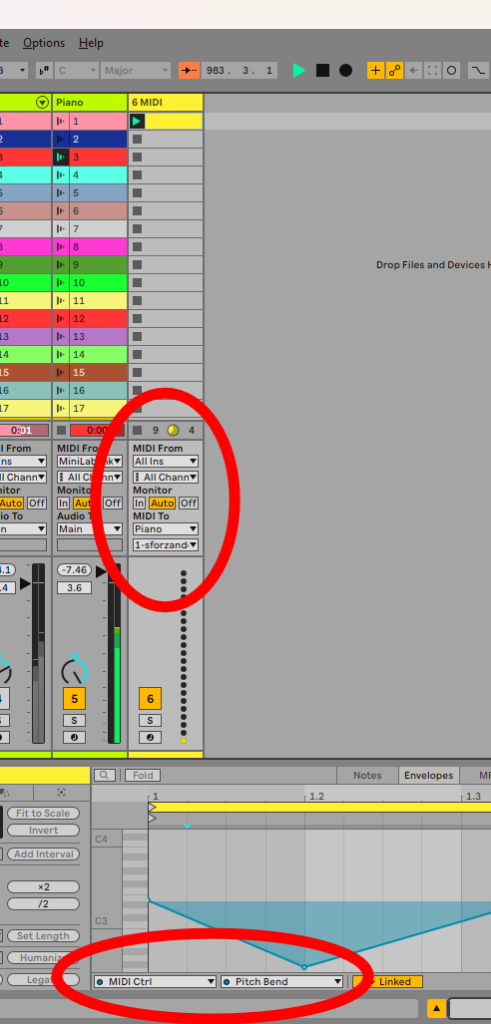
Now I had the VST3 for JC-303 installed, and I was trying control the filter cutoff and resonance via a separate track. Whatever I tried, though, nothing seemed to work. This had worked with an old VST2 version of the plugin. After much googling, I discovered this was by design rather than a bug. It seems VST3s don’t really do old-fashioned CCs. Instead, they use Parameter Automation, which gives you greater control over the parameter. Whereas the old way gave you 128 steps between 0 and 127, the new value is a floating-point number between 0 and 1. This gives you thousands of steps. Some VST3s still accept old-fashioned CCs, but they require some method of bridging one value to another.
It is a bit annoying, but I suppose it is a bit of a niche use. My options appear to be;
- Stick with VST2s. That feels like a bit of a step back.
- Get Max For Live. Currently, I am a Standard user. I don’t need the full Suite, so I could just get the Max add-on.
- Hope someone writes a wrapper for VSTs that allows this communication to happen. There are lots of old VST2s out there that may not be updated. This could very well be useful to a lot of people.
I will update you with any changes.